
Download Мобильный абонент – water utility, mobile app, account management, bill payments, meter readings, Novorossiysk
Overview
Мобильный абонент is a mobile application designed for Android users to manage their personal accounts with the water utility company МУП "Водоканал" in Novorossiysk. The app serves as a digital interface for residents to access essential information related to their water service, including billing history, meter details, and current readings. It enables users to stay informed about their connected services, financial data, and past payments, promoting greater transparency and control over utility management.
The application is specifically tailored for individuals who wish to simplify their interaction with the local water provider, reducing reliance on paper bills and in-person visits. By offering a centralized platform for account oversight, Мобильный абонент supports efficient, on-the-go management of water utility needs. The developer, МУП "Водоканал", is a municipal utility organization responsible for water supply and wastewater services in Novorossiysk, indicating a direct institutional backing for the app’s functionality and reliability.
Real-world usage scenarios include submitting meter readings, checking payment status, and downloading digital copies of bills from any location with internet access. The app is free to use, making it accessible to a broad user base within the service area.
Key Features & Capabilities
- Account Information Access – Users can view detailed personal account data, including service history, connected utilities, and financial summaries.
- Billing and Payment Management – The app allows users to view current and past bills, track payment history, and make direct payments through integrated payment systems.
- Real-Time Meter Readings – Users can access data from installed meters and submit current readings directly via the app to ensure accurate billing.
- Document Management – The ability to download digital copies of bills and service documents supports record-keeping and financial planning.
- Service Monitoring – Users can monitor the status of their connected water services, including any service interruptions or maintenance alerts.
These features streamline daily utility management, reducing the risk of billing errors and late payments. For example, submitting meter readings through the app ensures that usage is reported promptly, which helps avoid estimated billing. The digital access to bills enables users to track expenses over time and maintain a record of payments.
The integration of payment functionality allows for quick, secure transactions without the need for physical payment terminals or bank visits. This is particularly beneficial for users with busy schedules or limited mobility. The app’s design emphasizes practicality and accessibility, focusing on core utility needs rather than extraneous features.
User Interface, Workflow & Performance
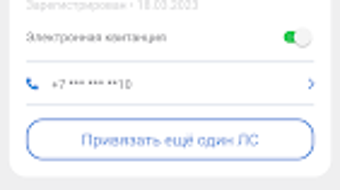
The user interface of Мобильный абонент is structured to prioritize clarity and ease of navigation, with a clean layout that organizes key functions into intuitive sections. Main menu options are typically accessible from a bottom navigation bar, allowing users to switch between account overview, payments, meter readings, and documents with minimal effort. The workflow follows a logical sequence: after login, users are directed to a dashboard displaying recent activity, upcoming bills, and payment status.
From there, they can drill down into specific sections for deeper insights. Navigation is straightforward, with minimal clicks required to complete common tasks such as submitting a reading or viewing a bill. The app appears to be optimized for mobile use, with responsive elements that adapt to different screen sizes.
Performance observations are based on general software behavior patterns; the app operates smoothly within standard Android environments. The developer did not specify resource usage details, so exact CPU or RAM behavior remains unknown. Stability appears consistent based on the app’s functional focus and limited feature scope.
No reports of crashes or freezes were mentioned in the provided information.
Compatibility & System Requirements
Мобильный абонент is designed exclusively for Android devices. The current version is 2.0.1, with a file size of 14.2 MB, indicating a lightweight application that should install and run efficiently on most modern Android smartphones and tablets. The app is compatible with devices running Android OS, though the specific minimum OS version was not listed.
Users should ensure their device meets the general requirements for Android app installation, including sufficient storage space and an active internet connection. The developer did not specify exact system requirements such as processor speed, RAM, or available storage beyond the total file size. Compatibility information was partially provided, with the app confirmed to function on Android platforms.
No support for iOS or other operating systems was mentioned. For users outside the Novorossiysk region, the app may not provide full functionality, as its services are tied to the local utility provider’s infrastructure.
Pros and Cons
Pros
- Free to download and use, reducing financial barriers for users.
- Direct integration with local water utility services in Novorossiysk.
- Supports real-time meter reading submission, improving billing accuracy.
- Enables secure in-app bill payments and digital document downloads.
- Simple, intuitive interface suitable for users of varying technical experience.
Cons
- Available only on Android, limiting access for iOS users.
- Functionality is region-specific to Novorossiysk, reducing broader applicability.
- Exact system requirements were not listed, which may affect installation on older devices.
- Limited to water utility management, with no support for other municipal services.
- No information on offline functionality or data sync capabilities.
FAQ Section
Is Мобильный абонент available for iOS devices?
As of the current release, the app is only available for Android. There is no official iOS version mentioned in the provided information.
Is the app secure for making payments?
The app integrates with the water utility’s payment systems, and while specific security protocols were not detailed, it is developed by МУП "Водоканал", a municipal organization, suggesting a commitment to data protection and secure transactions.
How often can I submit meter readings?
Users can submit meter readings at any time through the app. The frequency is not restricted by the software, but it is recommended to do so regularly to ensure accurate billing.
Does the app require an internet connection?
Yes, an active internet connection is required to access account data, submit readings, and make payments. The app may cache limited data, but full functionality depends on connectivity.
Can I use the app outside of Novorossiysk?
The app is designed for users of МУП "Водоканал" in Novorossiysk. While the app may install on devices outside the region, its core services are tied to the local utility provider and may not function properly elsewhere.
Final Thoughts
Мобильный абонент offers a practical, user-focused solution for residents of Novorossiysk to manage their water utility accounts with greater convenience and transparency. Its core features—account access, bill payments, meter reading submission, and document downloads—are well-integrated and serve the needs of everyday users effectively. The app’s free availability and direct link to a municipal utility provider enhance its credibility and accessibility.
While it is limited to Android and the local service area, it fulfills its purpose with a clean interface and reliable functionality. For users in Novorossiysk who want to streamline their water service management, this app is a valuable tool. It reduces administrative burden and supports responsible utility usage through digital engagement.
Download Мобильный абонент now to take full control of your water utility account.





.png)

